
Blog Technology Expertise E-Commerce 10/06/2026 8 min read
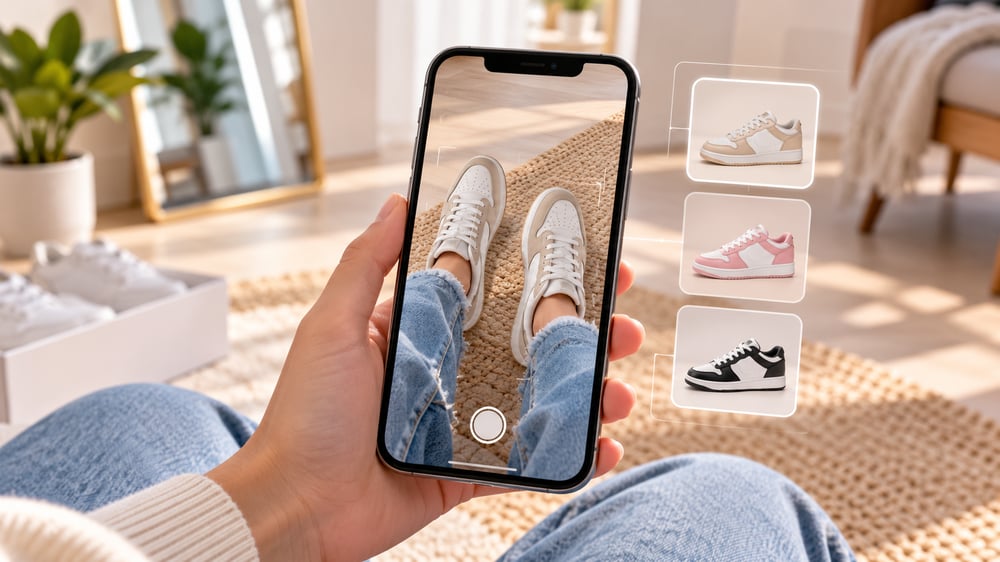
Augmented R shoe try-on can help shoppers see how a pair of shoes looks on their feet before buying online. But the experience only creates value when the UX is clear, fast, and useful. Poor design can turn a promising feature into friction. For footwear retailers, avoiding common UX mistakes is essential to improve engagement, product confidence, and ecommerce performance.
Treating AR as a novelty instead of a decision tool
One common mistake is designing virtual shoe try-on as a visual gimmick. Shoppers may enjoy seeing a sneaker on their foot for a few seconds, but entertainment alone does not always support a buying decision.
The experience should help the shopper answer practical questions. Does the shoe match my style? Does the shape look bulky? Does the color work with what I wear? Does the product feel more realistic than a flat image?
When AR is treated as a decision tool, the UX becomes more purposeful. It supports product evaluation, not just interaction. This matters because footwear shoppers often need visual reassurance before choosing a size, color, or style online.
A stronger experience connects AR to the product page journey. The feature should complement images, product details, color options, and size guidance. It should not feel like a separate experience with no link to the purchase decision.
Hiding the AR feature on the product page
AR shoe try-on can only create value if shoppers notice it. Many ecommerce teams place the feature too low on the product page, hide it behind icons, or use unclear labels. This reduces launch rate and weakens ROI.
On mobile, the entry point should be visible near the main product media or close to the primary purchase area. A clear label such as “Try on in AR” or “See it on your foot” is easier to understand than a generic camera icon.
Baymard’s product page UX research emphasizes how strongly shoppers rely on product visuals to evaluate products online. If the AR entry point is part of the visual decision process, it should be easy to find within that same product page area.
Footwear retailers should also avoid placing AR only inside secondary tabs. Shoppers may never discover it, especially on mobile product pages where content is often compressed or hidden behind accordions.
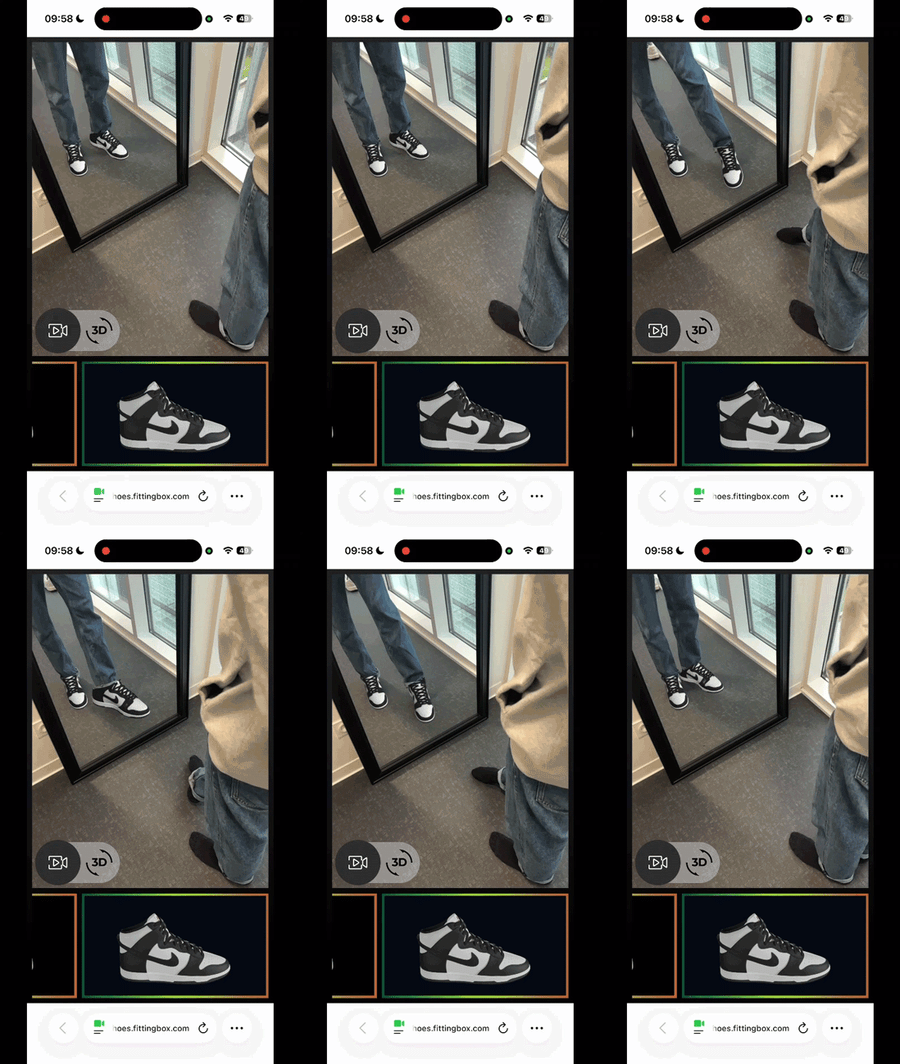
Asking for too much effort before the first try-on
The first seconds of the AR experience matter. If the shopper has to read long instructions, accept multiple prompts, wait through slow loading, and adjust the camera several times, the experience can feel demanding.
This is a major UX risk because AR already requires more commitment than viewing a standard product image. The shopper must open the camera, point it at their foot, and interact with a live environment.
Good AR shoe try-on UX reduces effort before the first result. Instructions should be short. Permission prompts should be expected. Loading states should be clear. The first try-on should happen as quickly as possible.
For example, instead of presenting a long tutorial, the interface can guide the shopper with one simple action at a time: point the camera at your feet, keep your foot in frame, then move slightly to view the shoe.
Showing the shoe without enough visual context
AR shoe try-on depends on realism. If the shoe appears too large, floats above the foot, tracks poorly, or looks disconnected from lighting conditions, shoppers may lose trust in the experience.
This does not mean the feature must replace physical try-on. It means the visual representation should be stable enough to support evaluation. Scale, perspective, alignment, and tracking quality all influence perceived reliability.
A weak AR experience can create the wrong expectation. Recent academic research has also discussed how virtual previews may increase expectations when product representation is not grounded enough. For footwear, this makes realistic visualization especially important.
The best UX gives shoppers useful visual context. They should be able to view the shoe from different angles, compare colorways, and understand the shoe’s shape on foot. This helps the shopper move from curiosity to confidence.
Separating AR from product information
Another mistake is isolating AR from the rest of the product page. Shoppers may try on the shoe virtually, but still need size information, material details, price, availability, color options, and delivery information.
If these details are hard to access during or after the AR session, the shopper has to switch contexts. That friction can interrupt the purchase journey.
A better UX connects AR with relevant product information. For example, after viewing a shoe in AR, the shopper should be able to return easily to the selected color and size. If several colorways are available, switching between them should feel natural.
This is especially important for footwear brands with large catalogs. AR should support product discovery and digital merchandising. It should make it easier to compare styles, not harder to navigate the product page.
Retailers exploring this broader product visualization strategy can connect AR shoe try-on with 3D shoe visualization and other ecommerce media assets. The goal is to create a consistent digital product experience.

Ignoring mobile performance and loading speed
Most AR shoe try-on experiences happen on mobile devices. That makes performance a core UX requirement. If the feature loads slowly, drains attention, or freezes during tracking, shoppers may abandon it before seeing value.
Performance issues can also make the retailer look less reliable. The shopper may not separate the AR tool from the brand experience. If the try-on feels broken, the product page can feel less trustworthy.
Before launch, teams should test AR shoe try-on across devices, browsers, lighting conditions, and network speeds. They should also check how the experience behaves when the camera permission is denied or when tracking fails.
Clear fallback paths matter. If AR does not launch, the shopper should still have access to strong product images, videos, size information, and a 3D viewer when available. This protects the product journey from a single point of failure.
Measuring the wrong success metrics
AR shoe try-on UX should not be evaluated only by launch rate. A high number of launches can look positive, but it does not prove that shoppers found the experience useful.
Footwear retailers should look at a broader set of metrics. These may include engagement time, completion rate, add-to-cart rate after AR use, conversion rate for AR-enabled products, return rate, and repeat usage.
NRF estimates that 19.3% of online sales will be returned in 2025. This makes return-related metrics important when evaluating product visualization tools, especially for categories like footwear where fit, style, and expectation gaps can influence returns.
However, AR should not be judged in isolation. Retailers should compare performance across products with and without AR, while accounting for traffic, price, promotion, seasonality, and product popularity.
For teams building a more structured rollout, virtual try-on of shoes should be measured as part of the full ecommerce journey. The strongest insights often come from connecting AR behavior with product page analytics and post-purchase data.
Building AR without a scalable content strategy
AR shoe try-on UX also depends on catalog coverage. If only a small selection of products supports AR, shoppers may experience inconsistency. They can try on one model but not the next one they want to compare.
This creates a merchandising challenge. The UX may be strong on individual product pages, but weak across the shopping journey. Footwear retailers should decide which products need AR coverage first, based on demand, margin, return rate, and strategic importance.
Scalable 3D asset creation is part of the UX conversation. Without accurate digital models, AR experiences can become inconsistent or slow to expand. Retailers evaluating this foundation can learn more about 3D shoe digitization as a way to support product visualization at scale.
Conclusion
AR shoe try-on UX works best when it helps shoppers make clearer product decisions. The biggest mistakes come from hiding the feature, adding friction, weakening realism, separating AR from product information, or measuring only surface-level engagement. For footwear retailers, better UX turns AR from a novelty into a practical product visualization tool that supports confidence, conversion, and smarter digital merchandising.
Frequently Asked Questions
What makes AR shoe try-on UX effective?
Effective AR shoe try-on UX is fast, visible, realistic, and connected to the product page. Shoppers should understand how to launch it, see the shoe clearly on foot, switch between relevant options, and return easily to product details or checkout.
Where should retailers place AR shoe try-on on a product page?
The AR entry point should be placed near the main product visuals or close to the purchase area, especially on mobile. Clear wording such as “Try on in AR” usually works better than an icon alone because it explains the value immediately.
Can poor AR UX reduce ecommerce performance?
Yes. Poor AR UX can reduce engagement if shoppers cannot find the feature, struggle to launch it, or see an unrealistic result. It can also weaken product confidence, which affects add-to-cart behavior and the overall product page experience.
How should footwear brands measure AR shoe try-on success?
Brands should track more than launch rate. Useful metrics include engagement time, AR completion rate, add-to-cart rate after AR use, conversion rate for AR-enabled products, return rate, and repeat usage across products and shopper segments.
Sources
- 2025 Retail Returns Landscape (2025) https://cdn.nrf.com/research/2025-retail-returns-landscape
- Augmented Reality In E-Commerce Market Report, 2030 (2025) https://www.grandviewresearch.com/industry-analysis/augmented-reality-e-commerce-market-report
- Product Details Page UX Research Studies (2026) https://baymard.com/research/product-page
- The virtual idealization paradox: how augmented reality previews increase product returns through elevated expectations (2026) https://www.sciencedirect.com/science/article/abs/pii/S0167811626000583

Fittingbox Footwear
Fittingbox Footwear is a dedicated business unit of Fittingbox, specialized in 3D and augmented reality solutions for the footwear industry. It offers ultrarealistic 3D digitization, immersive virtual try-on, and flexible integration — ranging from plug-and-play tools to fully customizable implementations.