
Shopify Footwear Try-On App

Bring shoes virtual try-on to your store

Let shoppers visualize and try on shoe styles on their feet, directly from your product pages.

Designed for shopify stores

Built specifically for FOOTWEAR

Mobile-first virtual TRY-ON

AI-generated 3D models

%

Increase in conversion rate

%

More time spend on product pages

%

Shoppers said it laid to a purchase

Shopify app pricing

Choose the plan that fits your footwear catalog

Start with a 14-day free trial and select a plan based on your number of products and monthly users.

$ 69

/month

BRONZE

14-day free trial

  • Up to 15 products
  • Up to 1,500 users/month

$ 159

/month

SILVER

14-day free trial

  • Up to 150 products
  • Up to 4,000 users/month

$ 369

/month

GOLD

14-day free trial

  • Up to 400 products
  • Up to 8,000 users/month
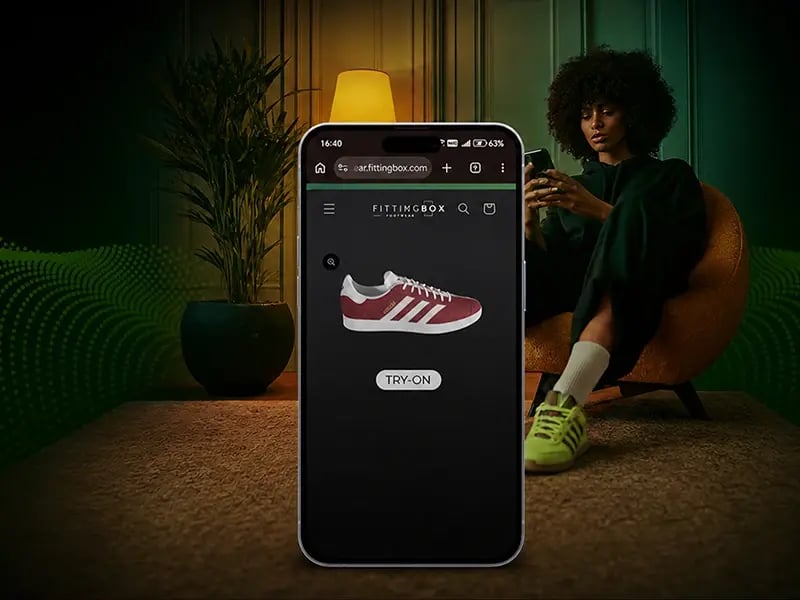
Shopper using virtual shoe try-on on a Shopify store

Footwear virtual try-on

Let shoppers preview shoes before buying

The Fittingbox Shoes Try-On app adds an interactive footwear visualization experience to Shopify product pages. Shoppers can explore shoe styles from their smartphone and better understand how a product could look on them.

  • Mobile-first shoe visualization
  • Direct access from Shopify product pages
  • Interactive virtual try-on
  • Designed for different footwear styles
  • Product selection inside the try-on journey
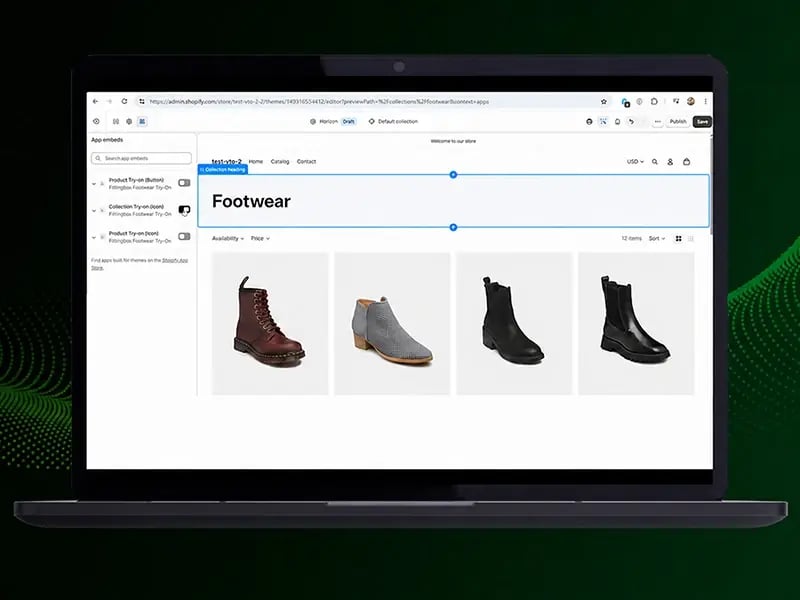
Shopify dashboard for configuring a footwear virtual try-on app

Easy Shopify integration

Add footwear try-on to your store with a simple setup

Configure the Fittingbox app inside Shopify and choose where shoppers discover the virtual try-on experience across your product and collection pages.

  • Product-page try-on button
  • Product-page try-on icon
  • Collection-page try-on entry point
  • Theme-editor activation
  • Storefront-friendly implementation
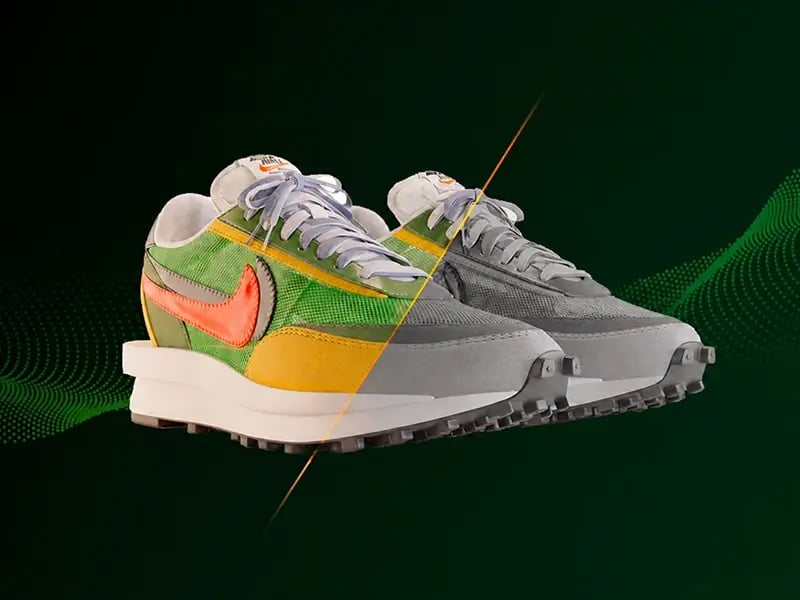
AI-generated 3D shoe models for Shopify footwear catalogs

AI-generated 3D shoes

Create 3D shoe previews in seconds

Just preview the AI-generated 3D models to activate virtual try-on for your selected products. This approach helps merchants activate more products without relying on a complex manual 3D workflow for every item.

  • AI-generated assets
  • Fast product preparation
  • Easy catalog activation
  • Ready-to-use in virtual try-on

They trust our technology

nike logo
lacoste logo
CK logo
columbia logo
Paul smith logo
converse logo

Within our interactive application, users could easily view and rotate the 3D footwear, and the virtual try-on experience was a big hit at our event.

Dennis Molina Creative Director Galaxy Universal, USA

Frequently Asked Questions

Which products can use virtual try-on?

Virtual try-on is available for footwear products that have been digitized successfully and are active within your subscription plan.

How are footwear products prepared for try-on?

You select eligible shoe products in the app. Their photo collections are used to initiate digitization, and the product is available for activation once that process succeeds.

Does the app work with every Shopify theme?

The app is designed for Shopify App Embeds. Many themes work well; heavily customized or unusually structured themes may need positioning adjustments through the embed’s container and CSS settings.

Where can I display the try-on experience?

You can enable configurable entry points such as icons on product or collection pages and a CTA button on product pages through Shopify’s theme editor.

What does “basic-quality AI-generated 3D” mean?

It refers to AI-generated shoe previews designed to help prepare eligible catalog items for virtual try-on. The availability and results of digitization depend on the product photo collection.

Still need a hand? Our team can walk you through the app and its setup.

Add virtual try-on to your store

Ready to convert more undecided shoppers?

Start your 14-day free trial today, or leave your details for a guided walkthrough of Fittingbox Shoes Try-On.